Windows Business Operations
PopularA desktop app for one defined operations workflow with structured records and reports.
৳20,000one-time project
- One workflow such as inventory or billing
- Up to 10 application screens
- Local database and backup flow
Windows Utility App — Desktop Efficiency & Automated Workflows
A custom native Windows desktop utility designed for lightning-fast internal operations, CSV/Excel importing and exporting, batch document processing, and local database storage.
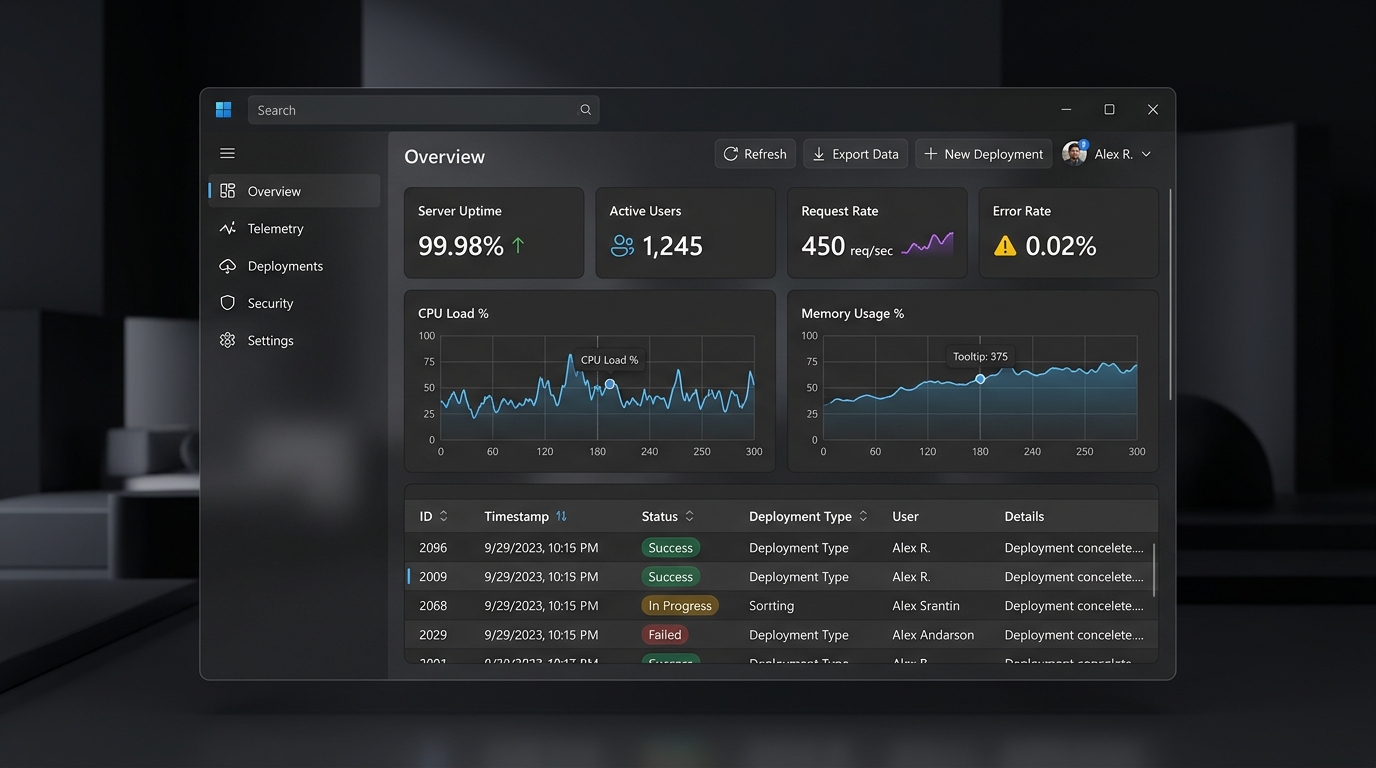
Modern Windows 11 application window with Mica translucency, sidebar navigation, and quick telemetry.
Target Audience & Value
Calibrated around specific business objectives to deliver clear return on investment.
Automate repetitive Excel reconciliation, salary slip generation, and tax calculation tasks.
Log machine sensor data, production batch serials, and print inspection compliance stickers.
Batch rename, index, and securely catalog thousands of scanned PDFs and office documents.
A to Z Deliverables
A clear, transparent breakdown of each phase, asset, and capability we deliver.
Modern Windows 11 Mica aesthetics, dark/light theme, and global keyboard shortcuts.
Zero-configuration embedded SQL database running entirely offline on your PC.
Sub-second parsing and generation of large spreadsheets and structured records.
Clean MSI installer with automated start menu registration and uninstaller.
All features delivered as part of the ৳15,000 rate
Items quoted separately or managed directly by you
Step-by-Step Workflow
A structured, milestone-driven execution ensuring quality at each stage.
Model data tables, import requirements, and user keyboard shortcuts.
Develop responsive desktop windows, sidebar navigation, and high-density grids.
Code SQLite data access layer, Excel batch parsers, and report generators.
Perform stress tests with 100k+ rows, build MSI installer, and handover.
Engineering Standards
High standards of performance, security, and compatibility.
Measurable Impact
Real, measurable performance benchmarks you can expect from this service.
Runs perpetually with zero internet connection or server subscriptions
Instant keyboard data entry compared to slow web apps
Kickoff Checklist
A quick checklist of assets or access to help us hit the ground running.
Sample Excel/CSV files and desired workflow rules
Windows 10/11 testing computer or virtual machine
Got Questions?
Everything you need to know about this specific pricing option.
Explore Alternatives
A desktop app for one defined operations workflow with structured records and reports.
A larger desktop system combining related workflows, with integration requirements scoped before work starts.
Place your order directly through our cart, request a customized proposal, or chat with our team on WhatsApp.
Let's Talk
Tell us a little about your business and what you are hoping to achieve. We will reply with honest advice and a clear next step.
Social media advertising and website design for individuals, creators, and small businesses.
Reach the right audience and turn attention into enquiries.
Give videos a stronger launch with focused promotion.
Portfolios, small business websites, and online stores.
Present your work, skills and story with credibility.
Explain your services and make it easier to contact you.
Showcase products and guide customers from browse to order.
Custom native apps for Android phones and tablets.
Purpose-built desktop software for your business workflows.
© 2026 TSR Digital Solutions. All rights reserved.
Back to top